CamCard AI Scanner, Transcribe
- 4.1
- Rating
- 10.00M
- Installs
- Free
- Price

 Analysis by App-foxy
CamCard AI Scanner, Transcribe is the kind of productivity app I would suggest to anyone whose contacts still live in pockets, desk drawers, email threads, and half-finished notes. Its main job is to turn business cards into searchable digital contact records, but the wider toolset also points toward digital cards, OCR, recorded information, and AI-assisted note taking. I found that combination more useful than a simple camera-to-text utility because it connects the moment of meeting someone with the follow-up work that usually comes later.
What makes it worth considering is not that it removes every manual step. It does not. The real benefit is that it gives me a faster starting point: capture the card, check what the text recognition understood, add context, and keep the person available when I need to remember where we met. That workflow suits salespeople, recruiters, freelancers, event attendees, and anyone who regularly collects contact details away from a desk.
How readable navigation affects everyday use
The app belongs to the productivity category and is developed by INTSIG. Its purpose is easy to understand from the first interaction: use the phone camera to capture a business card, let OCR read the printed information, and turn the result into a digital contact. That direct relationship between the camera and the contact record is important for people who do not want to learn a complicated database system before they can save a name.
You May Also Like

 Pandora - Music & Podcasts
Pandora’s Music Is Easy to Start, but Harder to Recover
Pandora’s strength is its low-effort path from a seed to a station. Its weak spot is how much confidence it asks you to place in connection, setup, and quiet recovery.

 8 Ball Pool
 Is Built on Rivalries, Rematches, and Routine
A close look at the rivalries, rematches, shared routines, and unanswered safety questions that turn a quick pool match into a persistent mobile community.

 Samsung Music
’s Quiet Strength Is Playing What You Already Own
Its reach comes less from spectacle than from dependable access to a personal library. That simplicity is both the app’s strongest retention engine and its ceiling.

 AccuWeather: Weather Radar
AccuWeather Review: A Quick, Clear Forecast for Everyday Decisions
For everyday plans, the best forecast is the one you can understand quickly. AccuWeather makes rain timing, radar, and local conditions easy to act on, with a few trade-offs.

 Hill Climb Racing
Why Hill Climb Racing Still Turns Crashes Into One More Run
A tiny car, a bumpy hill and one more upgrade: Hill Climb Racing keeps resurfacing because its simple chaos makes every near-miss feel personal.

 AliExpress - Shopping App
AliExpress Makes Global Shopping Feel Personal, but Shoppers Bear the Risk
AliExpress turns a global marketplace into a pocket-sized discovery engine. Its reach is useful, its shopping loop compelling, and its trade-offs easy to miss.
More From Our News Desk
View All News


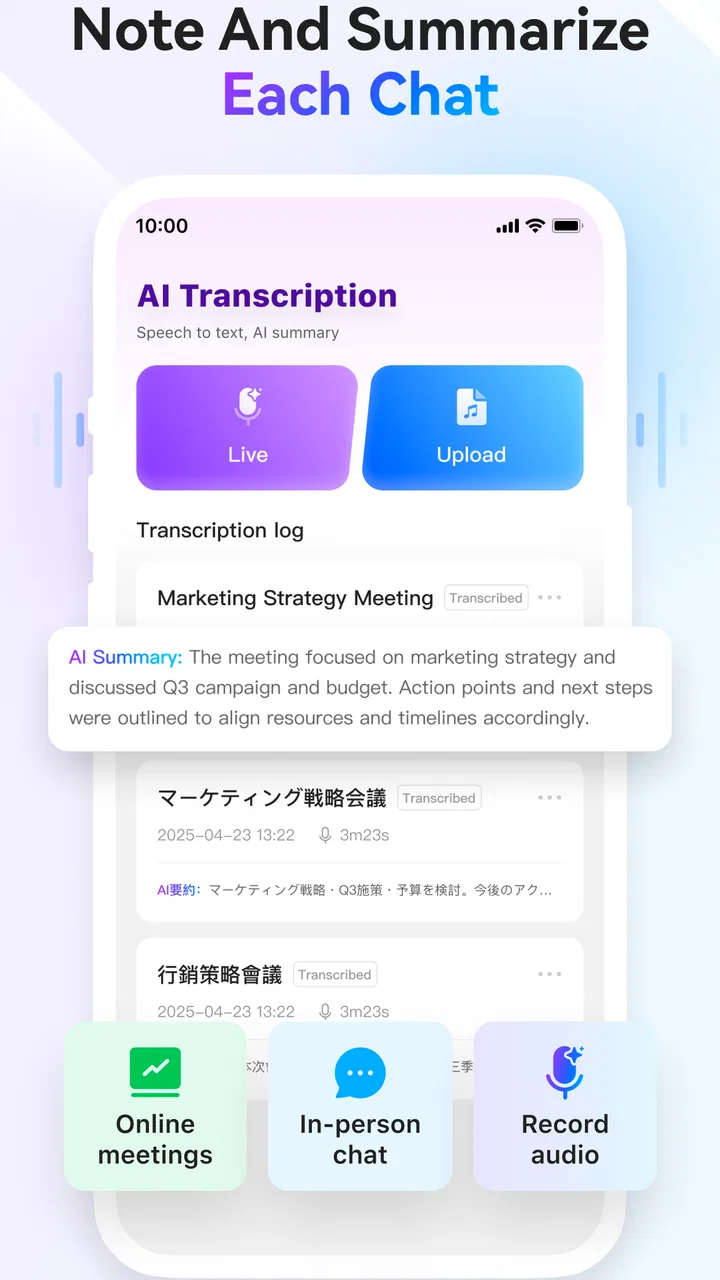
I particularly like the idea of treating a scanned card as the beginning of a record rather than the final result. A card can be useful at the moment of a meeting, but its value increases when I can attach a note about the conversation or remember the event where I received it. The references to digital cards, Recordor, and AI note taking suggest a broader workflow around captured information, although I would still review every generated result before relying on it.
Readable navigation is not only about large text. It is also about knowing what will happen after each action. A good scan workflow should make the sequence obvious: frame the card, capture it, inspect the recognized fields, correct mistakes, and save. CamCard’s focus on a single recognizable task gives it an advantage over general note apps, where I would have to build that process myself with a photo, a title, and manually typed contact details.
The app has a 4.1 average from around 152 thousand ratings, and it has passed 10 million installs. Those figures indicate that it is not an experimental niche tool, but they do not guarantee that every screen will feel equally comfortable for every person. In my view, the practical test is whether the interface lets you verify the scan without making the correction stage feel like a second data-entry job.
For someone with mild visual difficulty, the most helpful habit is to treat the scan as a draft. I would enlarge the card on the desk, use strong lighting, and inspect names, telephone numbers, email addresses, and company details before saving. OCR is convenient, but a single character error in an email address can make an otherwise successful scan useless. The app saves time when I check the important fields immediately instead of discovering the mistake weeks later.
Navigation also matters after the event. A contact archive becomes more valuable when its entries can be found by remembered details rather than by the physical order of cards. I would use consistent notes such as “met at design conference” or “asked about accounting software,” because the note can become the bridge between a name and a future action. This is a small workflow choice, but it is more useful than scanning cards without adding any context.
Why OCR is helpful but should not be treated as automatic truth
OCR is strongest when the card has clear print, good contrast, and a straightforward layout. Decorative typefaces, unusual spacing, small text, glossy reflections, and cards with several languages can all make recognition less dependable. That is not a reason to avoid CamCard; it is a reason to reserve a few seconds for review. I would be especially careful with characters that look alike in phone numbers, web addresses, and surnames.
The same principle applies to AI note taking. A generated note can help turn a conversation into a usable reminder, but I would not allow an automated summary to replace my own judgment about what was promised or what needs follow-up. The best use is as a first draft: check it, shorten it, and add the one detail that will make the contact meaningful later.
Motor, sensory, and situational access
Business-card scanning can reduce typing, which is helpful for people who find prolonged keyboard or touchscreen entry tiring. Instead of manually entering every field, I can begin with a photograph and correct only the parts that need attention. That is a meaningful reduction in repetitive movement, particularly after collecting several cards at a busy event.
There is still a physical demand at the capture stage. I need to position the phone, hold it steady enough for a clear image, and align the card within the camera view. Someone with hand tremors, limited reach, or difficulty maintaining a fixed grip may find this less comfortable than a workflow based on receiving a digital contact directly. In that situation, the app is more useful when another person can take the picture or when the card can be placed flat on a stable surface.
Lighting and glare are sensory concerns as well as image-quality concerns. A shiny card under overhead lights may be difficult to read on screen and difficult for OCR to interpret. I would move the card away from reflections, avoid casting a shadow across the text, and take a second capture if the first one looks uncertain. These adjustments are simple, but they matter more than rushing through a large stack.
For users who are sensitive to visual clutter, the most comfortable approach is to keep the workflow narrow: scan, verify, save, and add one short note. Trying to explore every related function during a crowded meeting could create unnecessary cognitive load. I see the app as most accessible when it is used as a focused capture tool first and a broader information organizer afterward.
People with hearing-related access needs may appreciate that written contact information and notes do not depend on remembering a spoken introduction. After a conversation, I can record the person’s name, role, and follow-up point in text rather than relying entirely on memory. If a transcription or AI-assisted feature is used, I would still check the result carefully, especially when names, technical terms, or multiple speakers are involved.
For people with reading or language-processing difficulties, short personal notes can make the archive easier to understand later. Instead of keeping a long automated paragraph, I would reduce it to practical prompts: “send portfolio,” “introduce to supplier,” or “follow up next week.” This turns the app from a storage box into an external memory aid without pretending that automation understands every social detail.
A realistic event workflow
Imagine I attend a trade event and leave with a handful of cards. During the event, I would avoid trying to complete a perfect database entry while standing in a crowded aisle. I would photograph each card in decent light, confirm that the name and primary contact method are legible, and add a short reminder about the conversation. Later, in a quieter place, I would correct the remaining fields and decide which contacts deserve an actual follow-up.
This two-stage method is one of the more useful ways to use the app. It separates quick capture from careful organization, which helps when noise, poor lighting, limited time, or physical fatigue make detailed entry difficult. It also reduces the chance that I will lose a card while promising myself I will process it later.
For a freelancer, another practical workflow is to scan a client’s card and add the project context immediately. For a recruiter, the note could identify the role discussed and the next document to request. For a small business owner, it could connect a supplier’s details with the product or service that prompted the meeting. These uses go beyond recognizing printed text: they make the contact searchable by the reason it matters.
Where the usual alternatives may be better
A general notes app is often better when I only need to save a few details and do not care about structured contact fields. The phone’s built-in camera and contacts app may also be enough for someone who receives cards rarely. In those cases, adding a dedicated scanner can feel like extra maintenance.
On the other hand, manually typing into contacts gives me more control from the start. It can be slower, but it avoids trusting OCR with unusual names or complex layouts. A direct digital exchange is more convenient still when the other person can send their details electronically, because it removes the need to photograph and verify a physical card.
CamCard makes the strongest case when physical business cards are a regular part of my work and I want a repeatable process. It is less compelling for a person who never attends networking events, already has a reliable contact-management system, or prefers to keep all notes in a single manually curated workspace.
Remaining barriers and practical trade-offs
The free price makes it easy to try, but the app includes in-app purchases ranging from $0.99 to $189.99 per item. I would therefore check which tools are available without payment before building an important workflow around them. A free download is useful for testing the scanning experience, yet people who need advanced organization, heavier usage, or extra AI-related functions should pay attention to the purchase prompts and decide whether the added cost fits their needs.
The current version is 7.89.5.20260807 and requires at least iOS or Android version 10. That requirement is reasonable for many modern phones, but it can exclude people using older devices. Anyone sharing a phone with a family member, using an older work handset, or relying on an accessibility setup tied to an older operating system should check compatibility before depending on the app for an event.
Privacy deserves a deliberate decision whenever contact information and notes are involved. I would avoid scanning sensitive details casually, and I would think about whether a business card includes information that should not be copied into a personal archive. The practical safeguard is simple: capture only what I need, keep notes professional, and remove outdated entries instead of treating the archive as permanent storage.
Another barrier is the difference between recognition and organization. Scanning a card feels productive, but a large collection can become difficult to manage if every entry is saved without a clear purpose. I would create a routine for reviewing recent scans, correcting errors, and deleting duplicates. Without that routine, the app may merely replace a pile of paper with a pile of uncertain digital records.
Users who need highly specialized accessibility controls should evaluate the app directly on their own device rather than assuming that a productivity label guarantees a particular experience. Screen magnification, voice access, touch settings, and display preferences can vary between operating systems and phones. CamCard can reduce typing and provide written structure, but it cannot remove every challenge associated with camera alignment, small print, visual glare, or reviewing OCR output.
I also would not choose it as my only system for critical relationship management. If a missed follow-up could affect a contract, medical matter, or legal obligation, I would copy the essential details into a second trusted system and verify them manually. The app is excellent as a capture and reference layer, but automation should not be the sole safeguard for information where accuracy has serious consequences.
Who should use it and my inclusive verdict
CamCard is most useful when reducing manual entry matters more than having a completely hands-off process. I would recommend it to professionals who regularly receive printed cards, people who want searchable context around new contacts, and users who benefit from turning a physical exchange into a written, organized reminder. Its OCR and note-oriented approach can also help anyone who finds it easier to correct a short digital draft than type a full contact record from scratch.
I would be more cautious about recommending it to someone who rarely handles business cards, uses an older phone below the required operating-system level, or needs guaranteed accuracy without a verification step. It is also not my first choice for users who already have a mature customer-management platform and do not want another place where contact information can live.
For me, the strongest accessibility advantage is the reduction of repetitive typing combined with the ability to preserve written context after a conversation. The strongest limitation is that the camera and OCR stages still require attention, steady enough handling, suitable lighting, and a careful check of the result. Those trade-offs are manageable when I plan the workflow around them.
INTSIG has built an approachable productivity app around a very specific everyday problem: remembering and using the information printed on business cards. The free entry point, Everyone age rating, and broad adoption make it easy to explore, while the optional purchases mean I would test the exact functions I need before committing to a larger workflow. My final view is positive but practical: use it as a fast capture assistant, add concise notes, verify important fields, and keep a second backup for high-stakes contacts. Used that way, CamCard AI Scanner, Transcribe can make networking information easier to read, retrieve, and act on without pretending that automation replaces human checking.
FAQs for CamCard AI Scanner, Transcribe
01What is CamCard AI Scanner, Transcribe used for?
CamCard AI Scanner, Transcribe is designed to turn physical documents, business cards, notes, and other printed materials into digital content. Its scanning tools can recognize text, while the transcription features may help convert recorded or spoken information into written text. It is useful for organizing contact details, saving important documents, and reducing the need for manual typing, although results can vary depending on image quality, handwriting, accents, and background noise.
02How accurate is the AI scanning and transcription?
Accuracy is generally strongest when scanning clear, well-lit documents with sharp text and a simple layout. Printed business cards and standard documents are usually easier for the app to recognize than handwriting, curved pages, decorative fonts, or low-resolution photos. Transcription quality can also depend on pronunciation, multiple speakers, accents, and surrounding noise. Users should review the generated text carefully before relying on it for professional, legal, or sensitive information.
03Does CamCard AI Scanner, Transcribe require an internet connection?
Some features may work directly on the device, while advanced AI recognition, cloud synchronization, or transcription services may require an active internet connection. Availability can differ between Android and iOS versions, as well as between free and premium plans. If you intend to scan or transcribe content while traveling, check which functions are available offline and whether files are uploaded to online servers before using the app without reliable connectivity.
04Is CamCard AI Scanner, Transcribe free to download and use?
The application may be available as a free download, but certain functions can be restricted by usage limits, advertisements, watermarks, export options, cloud storage, or subscription requirements. Premium access may unlock additional scanning, transcription, editing, or synchronization tools. Before starting a trial or subscribing, review the current pricing, renewal terms, and cancellation instructions shown in the Google Play Store or Apple App Store listing.
05How does CamCard AI Scanner, Transcribe handle privacy and personal information?
Because the app can process business cards, documents, contact details, recordings, and transcribed text, privacy should be considered before use. Review the app’s current privacy policy and requested permissions to understand how data is collected, processed, stored, synchronized, or shared. Avoid uploading confidential documents or sensitive conversations unless you are comfortable with the service’s data practices, and delete stored content when it is no longer needed.
Pros
- Accurately extracts contact details from most business cards.
- Supports multiple languages for scanning international cards.
- Lets you add notes and tags to keep contacts organized.
- Cloud backup helps protect scanned cards when changing devices.
- Quick sharing makes it easy to send contact details to others.
Cons
- Some advanced features require a paid subscription.
- OCR accuracy may drop with blurry
- damaged
- or unusual cards.
- Cloud syncing may require account registration and internet access.
- Transcription and AI features can use significant mobile data.
- Privacy-conscious users may hesitate to upload contact information.

CamCard AI Scanner, Transcribe
Gallery